

Phishing attacks persist because social engineering reliably exploits human trust, brand familiarity, and urgency. Threat actors evolve lures faster than signature-based defenses, leveraging brand impersonation (often Amazon and other consumer brands), email spoofing, website spoofing, and malicious links to drive credential theft, account takeover, and business email compromise (BEC). Even with strong email security, a single malicious email can trigger ransomware or data loss, creating outsized financial loss.
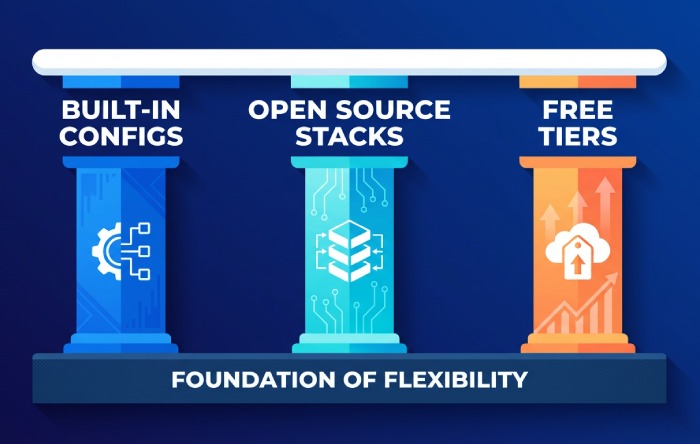
“No-cost” anti-phishing tools and anti-phishing services fall into three categories:
- Built-in capabilities you already own in Microsoft 365 and Google Workspace
- Open-source stacks for email filters and message analysis
- Free tiers, community editions, and trials that provide phishing protection, phishing detection, and limited reporting capabilities
Free does not mean zero effort. Governance, policy enforcement, and user education remain essential. You will still invest in configuration, threat monitoring, phishing response workflows, and incident response readiness. Think in terms of a layered control set: email authentication to block email spoofing, email filters for malicious attachments, phishing prevention via user education, and phishing mitigation processes when something gets through.
While enterprise platforms like Avanan, Barracuda Email Protection, IRONSCALES, Mimecast Threat Protection, Cofense PDR, and Microsoft Defender for Office 365 represent the state of the art in cloud email security, their blogs, toolkits, and occasional community resources can augment a no-cost architecture.
Similarly, brand protection programs from BrandShield and Outseer FraudAction (formerly RSA FraudAction) provide a benchmark for domain fraud prevention and domain monitoring, even if you use free alternatives. The goal is to assemble practical countermeasures that reduce cyber risk now, without a purchase order.
Choosing Free vs. Freemium: Evaluation Criteria, Governance, and Privacy Considerations
When evaluating free versus freemium anti-phishing services and anti-phishing tools, look beyond headline features.
Core Evaluation Criteria
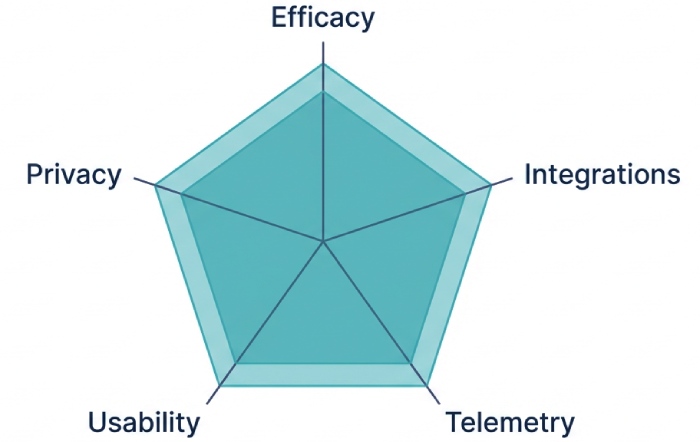
- Efficacy: Does the tool measurably improve phishing protection, phishing detection, and phishing mitigation for targeted attacks and zero-day phishing? Favor AI-based detection where available, as well as sandboxing for suspicious payloads.
- Integrations: Check API integration with your email gateway, SIEM, SOAR, and response platform for security orchestration and automation. Integration with Microsoft 365 and integration with Google Workspace is especially valuable.
- Telemetry and Reporting: Ensure actionable reporting capabilities, real-time monitoring, user behavior analysis, email traffic analysis, and policy tracking.
- Usability: Prioritize tools that fit existing business productivity tools and do not overwhelm admins. Automation reduces manual toil.
Governance and Privacy
- Data Handling: Understand what metadata or content is uploaded for message analysis, threat intelligence sharing, and forensic analysis. Confirm data residency where required.
- Access Controls: Enforce multi-factor authentication (MFA), including FIDO2/Web Authentication and SAML-based SSO. Consider passwordless authentication and risk-based authentication, where supported.
- Policies and Accountability: Define an email policy and content policies up front. Establish roles for threat hunting, phishing remediation, and incident response. Free tools still require ownership and policy enforcement.
Note: Vendors such as KnowBe4 (including PhishER for email triage), Cofense, Outseer, and Mimecast showcase mature Phishing Defense workflows. Even if you stick to no-cost options, study these reference architectures to inform your processes. Security awareness training and phishing simulation—popularized by experts including Kevin Mitnick—are core to resilient user education, regardless of budget.
Practitioners like Tim Ferrill have long emphasized that layered defenses beat point solutions; the principle applies strongly to phishing protection. (If you browse articles, photos by Andreus / Getty Images often depict the human factors in social engineering—another reminder to focus on people as much as tools.)
Locking Down Email Origins: Implementing SPF, DKIM, and DMARC with Free Setup and Monitoring Tools
Email authentication is the foundation of phishing prevention and brand protection.
The Three Records You Must Deploy
- SPF: Authorizes sending hosts. Start in relaxed mode and refine.
- DKIM: Cryptographically signs messages, enabling downstream verification and message integrity.
- DMARC: Aligns SPF/DKIM with your domain and declares policy enforcement (none, quarantine, reject), plus reporting.
Free Setup and Monitoring
- Begin with DMARC at p=none for visibility, then move to quarantine/reject as alignment improves.
- Use Valimail’s free DMARC monitoring to aggregate RUA reports and validate domain alignment at no cost.
- Parse RUF forensic reports for targeted forensic analysis of failed authentications and potential brand abuse.
- Add BIMI after DMARC enforcement to reinforce brand protection in supported clients.
Practical Tips
- Inventory all sending services (newsletters, CRM, marketing automation) to avoid breaking legitimate mail.

- Monitor for shadow senders to catch domain fraud prevention gaps and potential compromised credentials.
- Combine DMARC with inbound email filters to flag or block unauthenticated, high-risk traffic.
With SPF, DKIM, and DMARC correctly deployed, you materially reduce email spoofing, impersonation, and BEC risk—and you gain the reporting capabilities to drive continuous improvement.
Built-In Cloud Email Protections You Already Have (Microsoft 365, Google Workspace) and How to Maximize Them
Both suites include robust, no-additional-cost features that raise your phishing protection baseline.
Microsoft 365 Essentials
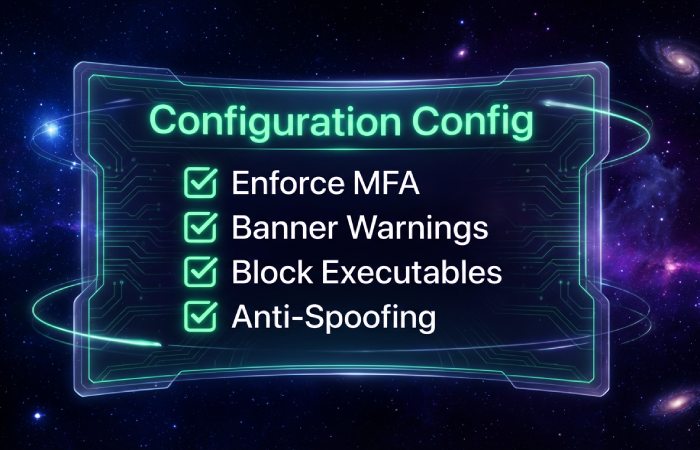
- Configure Exchange Online Protection policies for spam, malware, and bulk mail. Tighten email filters, block executable attachments, and enable email banner warnings for external senders and potential impersonation.
- Tune anti-phishing policies to protect high-value users from BEC. Leverage display-name impersonation detection and mailbox intelligence where available.
- Enforce MFA for all accounts; prefer FIDO2/WebAuthn security keys for admins to mitigate credential theft and email account compromise.
- Use SAML or native Azure AD for SSO, apply conditional access for risk-based authentication (where licensed), and monitor sign-ins for account takeover indicators.
Google Workspace Essentials
- Enable spoofing and authentication protection, attachment scanning, and link protection. Turn on email banner warnings for suspicious or unauthenticated messages.
- Require MFA for all users; Web Authentication with security keys greatly reduces compromised credentials.
- Apply content policies to prevent sensitive data exfiltration and reduce data loss from malicious email workflows.
Operational Practices That Cost $0
- Security awareness training: Run recurring, micro-learning sessions emphasizing social engineering threats and reporting norms.
- Simulated phishing: Use basic phishing simulation templates or community kits to validate user readiness and calibrate user education.
- Phishing response: Create a shared mailbox or label and a documented playbook for reporting and triage. Even without paid SOAR, simple automation (Rules/Power Automate/Apps Script) can accelerate triage and incident response.
- Threat monitoring: Review built-in dashboards for threat detection, email traffic analysis, and real-time monitoring. Many issues surface quickly here—especially targeted attacks and BEC attempts.
Microsoft Defender for Office 365 adds advanced features like sandboxing and sophisticated AI-based detection; even if you do not license it, mirror its recommended configurations where possible. Likewise, study guidance from Avanan, Mimecast, IRONSCALES, and Barracuda Email Protection to harden your baseline cloud email security with the knobs you already control.
Open-Source and Free Email Filtering Stacks: SpamAssassin, Rspamd, Amavis, and ClamAV in Practice
If you manage your own email gateway, an open-source stack can deliver strong phishing mitigation at no cost.
Reference Architecture
- MTA and Gateway: Postfix or Exim as the email gateway, fronted by DNSBLs and TLS security protocols.
- Content Scanning: Rspamd or SpamAssassin for message analysis and scoring; Amavis as a policy engine.
- Malware Defense: ClamAV for malicious attachments; integrate optional sandboxing for detonation of suspicious payloads.
- Authentication and Policy: opendmarc and opendkim for inbound verification and DMARC/SPF/DKIM alignment checks.
- Enhancements: Inject email banner warnings for external or high-risk messages; quarantine policies with transparent user release.
Why It Works
- Rspamd’s rule sets and Lua modules bring flexible AI-based detection heuristics. Combined with frequent threat intelligence feeds, you gain strong threat detection for malicious links and anomalous patterns.
- Automation and SOAR-lite: Use API integration and scripts to submit samples, update rules, and notify responders—security orchestration doesn’t have to be expensive.
- Threat hunting and forensic analysis: Store headers and scores to reconstruct attack chains and improve countermeasures.
Implementation Notes
- Start in monitor-only mode to tune false positives. Gradually enforce stricter thresholds as your policy enforcement matures.
- Add domain monitoring to flag newly observed senders claiming your brand; correlate with DMARC reports for brand protection.
- Maintain content policies to filter executables and archive files common in ransomware campaigns.
Open-source stacks demand care-and-feeding, but they deliver impressive phishing prevention for organizations willing to operate them. Pair them with user education, multi-factor authentication (MFA), and strong administrative controls to blunt BEC, account takeover, and insider threats. Even without commercial Phishing Defense platforms, a disciplined approach to reporting, simulated phishing, and low-friction workflows can produce timely phishing remediation and reduce overall cyber risk.
Safe File and Link Handling: Free Sandboxing and Malware Analysis Options for Attachments and URLs
Build a low-cost triage pipeline for malicious email content
- Use free sandboxing to detonate suspicious attachments and URLs safely before users interact. Services such as Hybrid Analysis, ANY.RUN community and open-source Cuckoo provide dynamic analysis, message analysis, and basic forensic analysis that improve phishing detection for zero-day phishing lures and malicious attachments.
- Combine these anti-phishing tools with email filters and built-in cloud email security. Microsoft Defender for Office 365 and Google Safe Browsing/Transparency data, when paired with an email gateway’s baseline scanning, raise email security against phishing attacks carrying ransomware droppers or credential theft pages.
- Map results to phishing mitigation steps: quarantine the message, alert the user, and add indicators to blocklists. This lightweight pipeline strengthens phishing prevention and phishing protection without licensing heavy anti-phishing services.
Practical workflow
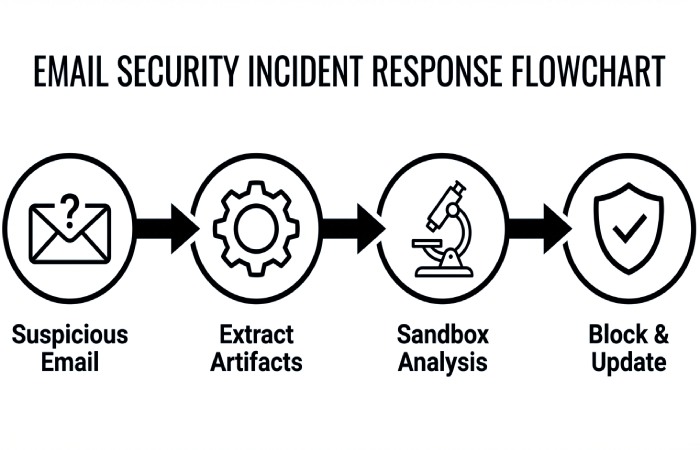
- Route suspicious messages to a mailbox for automated extraction of links and attachments.
- Submit artifacts via API integration to sandboxing engines; use tagging for threat monitoring and reporting capabilities.
- Feed verdicts into email policy updates and policy enforcement for future countermeasures.
Tips for speed and scale
- Script URL expansion and screenshot capture for malicious links to visualize social engineering pages.
- Store hashes and domains; enrich with open threat intelligence to accelerate phishing response and incident response.
Free link and attachment scanners your help desk can use
- URLHaus, OpenPhish, PhishTank, and VirusTotal communities give fast threat intelligence lookups. They bolster phishing detection for website spoofing and brand impersonation, aiding brand protection as well as domain fraud prevention.
- For attachments, Peframe and ExifTool can surface macros and anomalies, while community sandboxes reveal runtime behavior indicative of ransomware or account takeover kits.
Policy alignment
- Add email banner warnings for external senders and link rewriting via your email gateway. Pair with content policies that block executable attachments, ISO/VHD, and embedded HTML—simple but effective phishing mitigation that reduces BEC and email account compromise.
When to escalate
- Escalate to enterprise anti-phishing services like IRONSCALES, Avanan, Barracuda Email Protection, Mimecast Threat Protection, or Cofense PDR if you need AI-based detection at scale or SOAR-style automation.
Browser and Endpoint Layers at Zero Cost: Safe Browsing, SmartScreen, Group Policies, and Community EDR
Harden browsers against social engineering and malicious links
- Enforce Safe Browsing and Microsoft SmartScreen to block known-bad domains and suspicious downloads. These anti-phishing tools form a first line of phishing protection beyond the inbox, protecting against targeted attacks that bypass email filters.
- Use group policies to disable risky features (e.g., Office macro auto-execution, PowerShell unconstrained) and to mandate secure security protocols for TLS.
Authentication hardening
- Enforce multi-factor authentication and passwordless authentication using FIDO2 and Web Authentication where possible. Multi-factor authentication reduces BEC and account takeover risk even if a phishing attack succeeds. Pair MFA with SAML or risk-based authentication to step up challenges on anomalous logins.
- MFA “fatigue” can be abused, so user education and security awareness training must include phishing prevention guidance on push bombing and prompt hygiene.
Community EDR and real-time monitoring
- Consider community EDR or open EDR agents to add real-time monitoring, threat hunting, and threat detection on endpoints. Even basic telemetry helps detect ransomware precursors and insider threats triggered by malicious email campaigns.
Block what’s dangerous by default
- Use allowlists for business productivity tools and restrict script execution. This email security-adjacent control breaks many social engineering chains before users reach credential theft pages.
Open Threat Intelligence: Free Phishing IOC Feeds, Blocklists, and Lightweight Automation
Assemble a free IOC stack for phishing detection
- Aggregate phishing indicators from OpenPhish, Spamhaus, AbuseIPDB, URLHaus, and CERT feeds. Lightweight automation can populate DNS/firewall blocklists and email filters to provide continuous phishing mitigation against evolving threat actors.
- Maintain domain monitoring of lookalikes and suspicious SSL certs to strengthen brand protection and reduce brand abuse.
Automate enrichment and response
- Use API integration and simple automation to enrich sender IP, SPF/DKIM/DMARC alignment, and hosting reputation. Tag results for policy tracking and email traffic analysis.
- Route enriched alerts to a response platform or ticketing system for faster phishing response and phishing remediation. Even without full security orchestration, automation, response platform tooling, you can approximate SOAR behaviors with scripts and webhooks.
Reporting and measurement
- Track blocked malicious emails, malicious attachments detonated, and time-to-mitigate. These reporting capabilities validate that anti-phishing tools are working and inform user education priorities.
Brand and Domain Protection on a Budget: DMARC Reporting, BIMI, and Lookalike Domain Monitoring
Turn on SPF, DKIM, and DMARC for stronger email authentication
- Publish SPF and DKIM, then enforce DMARC with a p=quarantine → p=reject path. Email authentication materially reduces email spoofing, BEC attempts, and downstream financial loss.
- Use Valimail’s free DMARC monitoring to analyze rua aggregate reports and ruf forensic analysis where appropriate. This is high-impact phishing prevention and phishing protection for any organization.
BIMI and visual trust
- Implement BIMI to display your verified logo in supported inboxes, reinforcing brand protection and countering brand impersonation. While BIMI isn’t an anti-phishing service, it complements email authentication to deter phishing attacks that exploit visual cues.
Monitor lookalike domains
- Track typosquats and homoglyphs with free watchlists; BrandShield and Outseer FraudAction (including RSA FraudAction) illustrate how dedicated services escalate takedowns when needed. Even basic domain fraud prevention and domain monitoring help reduce website spoofing campaigns that lead to credential theft and account takeover.
Operationalize policy enforcement
- Tie DMARC failures to automatic quarantine, add email banner warnings, and notify admins for rapid phishing mitigation. Align email policy in Microsoft 365 and Google Workspace to block auto-forwarding that often facilitates business email compromise and BEC.
No-Cost User Awareness: Training Content Sources, Microlearning, and Just-in-Time Nudges
Curate free, credible security awareness training
- Leverage CISA, NCSC, and vendor blogs from KnowBe4, Cofense, Mimecast, and Microsoft Defender for Office 365 for free modules, posters, and videos. Frequent, short content builds durable user education for phishing prevention.
- Incorporate lessons on social engineering threats, email authentication basics, and safe handling of malicious links. As Kevin Mitnick’s legacy underscored, understanding human factors is central to phishing detection and defense.

Microlearning and nudges
- Deliver weekly 3–5 minute microlearning tied to current phishing attacks, BEC stories, and ransomware case studies. Embed just-in-time prompts in the email client explaining why a message triggered an email banner warning or failed DMARC.
- Use in-product cues rather than long courses to sustain user behavior analysis improvements and reduce insider threats.
Tie training to MFA hygiene
- Coach on multi-factor authentication best practices, resistance to push fatigue, and when to prefer WebAuthn/FIDO2 for passwordless authentication. Repeat: multi-factor authentication plus awareness drastically reduces the blast radius of compromised credentials.
Track progress
- Establish simple policy tracking: completion rates, click rates, and self-reported suspicious emails. Feed results into content policies and future security awareness training topics.
Free Phishing Simulations: DIY Campaigns, Open Platforms, and Interpreting Results
Launch simulated phishing with open platforms
- Use Gophish and similar open-source anti-phishing tools to run simulated phishing and phishing simulation campaigns at no cost, with templates for Amazon, shipping, and payroll themes. Ensure integration with Microsoft 365 and integration with Google Workspace for smooth delivery and reporting capabilities.
- When you outgrow DIY, commercial anti-phishing services like KnowBe4 PhishER, Cofense PDR, IRONSCALES, or Avanan can add AI-based detection, SOAR workflows, and richer analytics.
Design realistic, ethical tests
- Mirror current social engineering trends and targeted attacks, but avoid sensitive topics. Include lures emulating BEC, fake MFA prompts, and malicious attachment bait to build resilience in email security workflows.
Interpret results and drive phishing mitigation
- Review open/click/submit rates, then trigger immediate user education for clickers and tailored security awareness training for repeat offenders. Escalate severe cases to incident response when compromised credentials are suspected to prevent account takeover, data loss, and financial loss.
- Correlate simulation outcomes with email traffic analysis and threat detection to refine email filters, content policies, and policy enforcement.
Close the loop with controls
- If high click rates persist, strengthen countermeasures: stricter email authentication, more aggressive sandboxing, and mandatory MFA. Consider adding email gateway rules and cloud email security add-ons from Mimecast, Barracuda Email Protection, or Microsoft Defender for Office 365 to reduce exposure.
- Keep lightweight automation in place to route user-reported phish to triage. Even without full SOAR, simple scripts can accelerate phishing response and phishing remediation.
Keep improving the program
- Publish wins to leadership: reduced click-through, faster phishing detection, and fewer successful phishing attacks. Celebrate brand protection wins from BIMI/DMARC and reduced BEC attempts.
- Credit the team effort—anti-phishing tools, anti-phishing services where appropriate, multi-factor authentication and MFA adoption, and continuous user education together build durable phishing prevention that stands up to evolving threat actors.
Reporting and Triage Pipelines: User Report Add-ins, Ticketing, and SOAR‑Lite Workflows Using Free Tools
Free user-report add-ins that actually get used
- Microsoft’s Report Message/Report Phishing add-ins for Outlook and Microsoft 365 are free, fast to deploy, and feed your email security team a structured signal for phishing attacks and malicious emails. In tandem with email banner warnings configured via Exchange transport rules, you reinforce phishing prevention and user education at the moment of risk.
- In Google Workspace, promote the native “Report phishing” feature and route to a shared mailbox for first-line phishing detection. Pair with Gmail’s built-in email filters and email traffic analysis to prioritize suspected email spoofing and business email compromise attempts.
- For mobile, instruct users to forward suspicious messages to a dedicated abuse@ mailbox and pin a short URL for quick reporting. This boosts security awareness training feedback loops and promotes ongoing phishing protection behaviors.
Outlook/Gmail integration tips
- Enable DMARC, SPF, and DKIM alignment and surface verdicts in mailbox views using headers or banners. Clear email authentication signals help with message analysis and faster phishing mitigation.
- Use Valimail’s free DMARC monitoring to validate domain policy enforcement without cost.
Nudge strategies with banners
- Dynamic email banner warnings that highlight external senders, display name anomalies, or brand impersonation cues reduce clicks from social engineering. Calibrate banners to minimize alert fatigue while improving phishing response.
Ticketing and case management on a budget
- Route user reports into a lightweight case queue: GitHub Issues, Jira Free, or GLPI can function as no-cost ticketing. Tag by BEC, ransomware, credential theft, or targeted attacks to accelerate incident response triage.
- For SOAR-lite case handling, TheHive (open-source) provides structured case templates, reporting capabilities, and evidence linking. It integrates with MISP for threat intelligence, aiding threat monitoring and threat hunting without paid subscriptions.
Policy enforcement and tracking
- Document email policy and content policies in your ticketing system; track policy tracking exceptions (e.g., VIP forwarding, external sharing). Use these records to shape countermeasures and reduce insider threats and email account compromise.
Low-cost communication workflows
- Use Teams/Slack channels to coordinate phishing remediation; post automated case summaries while protecting sensitive data. These business productivity tools help the response platform feel integrated without extra spend.
SOAR‑lite workflows with free automation
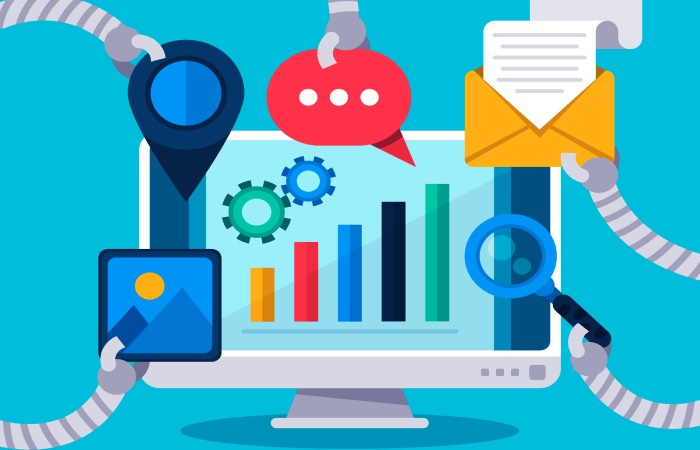
- Shuffle SOAR (open-source) or Power Automate free tiers can orchestrate basic triage: pull headers via API integration, enrich URLs with urlscan.io, query VirusTotal, and push decisions back to tickets. This security orchestration elevates anti-phishing tools without full SOAR licensing.
- Build API integration to Microsoft 365 and Google Workspace to quarantine messages, add labels, or enforce transport rules. Treat this as an automation and response platform for rapid phishing detection and phishing mitigation at scale.
Free enrichment building blocks
- URL/file sandboxing with Cuckoo or CAPEv2; plus Any.Run community and Hybrid Analysis for quick zero-day phishing checks.
- WHOIS/host checks for domain monitoring and domain fraud prevention (abuse contacts, registrar details) to support brand protection takedowns.
Email gateway hooks
- Even if you lack a commercial email gateway, leverage EOP/Gmail controls for cloud email security. Layer simple rules for malicious links and malicious attachments while keeping false positives low.
Mobile and Messaging Threats: Smishing, QR Phishing, and Enforcing MFA‑First with Free Options
Smishing defenses that scale
- Publish a one-tap smishing reporting workflow: forward SMS to a dedicated number or use carrier spam codes. Pair with user education that distinguishes shipping, payroll, and Amazon refund lures linked to credential theft and account takeover.
- DNS-layer countermeasures (Quad9, Cloudflare Gateway free) block known malicious links to reinforce phishing protection beyond email security.
Messaging app risk
- For WhatsApp, Teams, and Slack, remind users that social engineering thrives in DMs. Promote simulated phishing via chat in security awareness training to close behavior gaps.
QR phishing (quishing) in the wild
- Train users to long-press QR previews on iOS/Android, inspecting domains to prevent website spoofing and brand abuse. Emphasize BEC-related invoices and MFA reset prompts delivered via printed posters or PDFs as malicious attachments.
- Add a “Quishing” decision tree in playbooks: capture the QR, run urlscan.io, and check DMARC/SPF/DKIM on landing pages requesting logins.
Visual cues and safeguards
- Where supported, display BIMI logos to reinforce legitimate brand identity; lack of BIMI is not proof of fraud, but combined with email authentication failures, it’s a strong signal for phishing attacks.
Enforcing MFA‑first with free options
- Roll out multi-factor authentication using platform authenticators (WebAuthn/FIDO2 passkeys), Microsoft Authenticator, or Google Authenticator at zero license cost. Prioritize passwordless authentication or push/TOTP over SMS for stronger phishing prevention.
- For SAML-based apps, enable Web Authentication policies and risk-based authentication where available, ensuring security protocols that resist adversary-in-the-middle kits used in zero-day phishing.
Practical enrollment tips
- Use phased enrollments, self-service portals, and clear job aids to reduce friction. MFA reminders embedded in phishing simulation follow-ups reinforce user education and durable behavior change.
MFA and ransomware/BEC
- Consistent MFA blocks business email compromise and lateral movement seen in ransomware. Tie MFA metrics to reductions in compromised credentials and email account compromise across quarters.
Incident Response without Spending: Playbooks, Evidence Collection, Takedown Requests, and Open‑Source Forensics
Playbooks you can execute today
- Maintain stepwise playbooks for BEC, ransomware, and credential theft. Include phishing response triggers, SOAR-lite automations, escalation points, and legal/HR notifications for data loss or potential financial loss.
- Reference MITRE ATT&CK and NIST IR phases for policy enforcement and repeatable outcomes.
Evidence collection essentials
- Preserve original .eml/.msg, full headers, and logs for forensic analysis. Extract IOCs with IOC-Extractor, analyze Office docs using oletools, and PDF files with pdfid/pdf-parser. Keep chain-of-custody notes inside your ticket.
- Conduct message analysis with Microsoft Message Header Analyzer and Gmail’s header viewer. Perform sandboxing using Cuckoo; confirm network indicators before takedown.
Takedown requests that work
- Report phishing sites to hosting providers, registrars, and CDNs via abuse contacts; submit to Google Safe Browsing and Microsoft. For brand protection, coordinate with legal on brand impersonation and domain fraud prevention notices.
- When needed, escalate to anti-phishing services like Outseer FraudAction or RSA FraudAction for high-severity campaigns; teams later mature into BrandShield or Cofense PDR support. Many vendors provide guidance even if you are not a current subscriber.
Open-source forensics stack
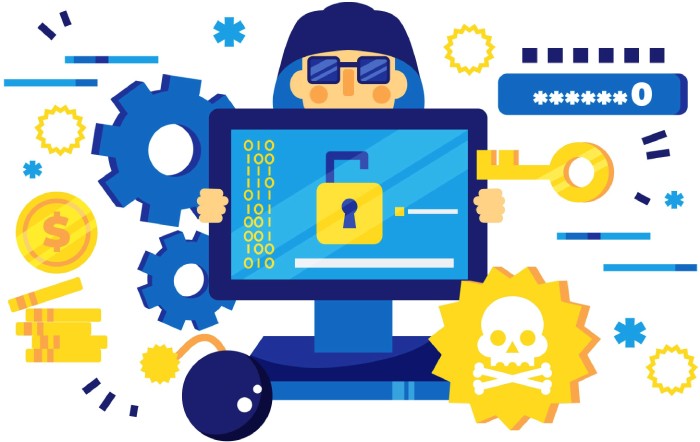
- Combine TheHive + Cortex + MISP for an integrated response platform, IOC enrichment, and threat intelligence sharing. Add Wazuh or Elastic for log collection and real-time monitoring of email security events.
- Use YARA for rapid threat detection across mail stores and endpoints; drive threat hunting hypotheses from user behavior analysis and email traffic analysis.
Practitioner wisdom
- Kevin Mitnick’s lessons on social engineering remain relevant: attackers exploit urgency and trust. As Tim Ferrill has noted in enterprise mail hardening guides, getting SPF, DKIM, and DMARC right is foundational to phishing mitigation. Visuals like those credited to Andreus / Getty Images often depict the human factors behind BEC.
Measuring Impact and Maturity: KPIs, Coverage Gaps, and When to Graduate to Paid Solutions
KPIs that matter
- Track report rate, time-to-triage, time-to-contain, and time-to-remediate for phishing attacks. Measure click, credential submission, and repeat offender rates from phishing simulation as core indicators of security awareness training and user education effectiveness.
- Monitor auto-remediation rate, quarantine success, and reductions in malicious email reaching inboxes. Tie improvements to decreases in BEC, ransomware precursors, data loss, and financial loss.
Dashboards and reporting
- Use Grafana/ELK or Power BI/Looker Studio to visualize reporting capabilities and policy tracking. Include DMARC/SPF/DKIM pass rates, phishing detection precision/recall, and coverage by anti-phishing tools.
Finding coverage gaps
- Review missed detections (zero-day phishing), language variants, QR codes, and SMS lures. Audit email filters and email gateway rulesets for blind spots; verify email policy exceptions aren’t enabling account takeover.
- Validate countermeasures against threat actors emulating Amazon refund, payroll, and IT-support themes. Test targeted attacks in simulated phishing to expose training gaps.
Graduating to paid solutions
- Consider anti-phishing services when volume overwhelms SOAR-lite, when API integration to Microsoft 365/Google Workspace is essential, or when domain monitoring/brand protection needs exceed manual capacity. Evaluate IRONSCALES, Avanan, Barracuda Email Protection, Mimecast Threat Protection, and Microsoft Defender for Office 365 for AI-based detection and phishing remediation.
- For orchestration at scale, SOAR-backed platforms from Cofense (PhishER/PDR), Mimecast, and Outseer offer automation, response platform features, and deeper threat intelligence. For DMARC automation and BIMI readiness, Valimail can accelerate domain fraud prevention.
ROI framing
- Quantify reductions in compromised credentials, email account compromise, and time saved per incident. If automation and coverage materially outpace free workflows, the shift to commercial Phishing Defense platforms is justified.
Key Takeaways
- Free pipelines using report add-ins, TheHive/MISP, and light automation can deliver strong phishing detection and response.
- Enforce MFA-first with WebAuthn/FIDO2 and strengthen email authentication (SPF, DKIM, DMARC) to reduce BEC and ransomware risk.
- Open-source forensics and sandboxing enable credible evidence collection and phishing mitigation without new spending.
- Measure report rates, click/submit rates, and time-to-remediate to guide improvements and justify anti-phishing services.
- Graduate to paid solutions when scale, AI-based detection, domain monitoring, and brand protection needs exceed free tooling.