

Spear phishing remains one of the most sophisticated and damaging forms of cyber threats facing organizations and individuals today. As cyber criminals continue to refine their tactics, it becomes critical for companies and employees alike to stay ahead of these targeted attacks. This article explores the unique nature of spear phishing, details how these attacks unfold, identifies who is at highest risk, highlights key warning signs, and examines notable real-world incidents to reinforce the importance of prevention and threat detection.
Understanding Spear Phishing: What Makes It Different
While the term “phishing attack” is often used broadly, spear phishing represents a highly targeted, refined version of this threat. Traditional phishing emails typically involve mass-distributed messages designed to ensnare as many victims as possible, often through generic greetings and nonspecific content. In contrast, spear phishing is a targeted attack that leverages extensive research and social engineering techniques to manipulate specific individuals or organizations into disclosing sensitive information or compromising security systems.
Spear phishing emails are engineered to appear credible to their recipients. Cyber criminals may reference internal projects, use spoofed emails mimicking executives or trusted entities, and even impersonate contacts from financial institutions or government agencies. By personalizing their approach, attackers increase the likelihood that their phishing emails will succeed in extracting personal information, login credentials, or other sensitive data.
Unlike regular phishing, which capitalizes on volume, spear phishing thrives on quality and precision. Security awareness and ongoing training programs are essential to prevent spear phishing before it can bypass traditional security measures such as spam blockers and basic email filters.
How Spear Phishing Attacks Work: Step-by-Step Breakdown
A spear phishing attack unfolds through a carefully orchestrated series of steps, each designed to maximize the odds of deception and compromise.
1. Target Selection and Reconnaissance
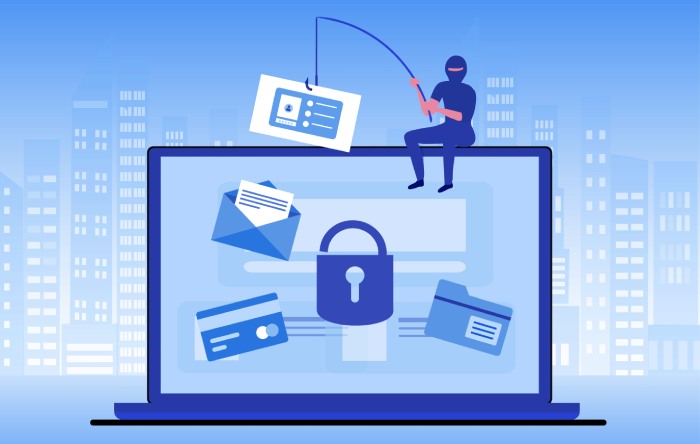
Cyber criminals begin by selecting and researching their victims. Using social media platforms, professional networking sites, and corporate directories, attackers gather details about their targets—be it executives, IT professionals, or employees with access to sensitive information. This phase may involve professional platforms like Office 365 or Microsoft Exchange, which contain a wealth of exploitable details.
2. Crafting the Phishing Email
Armed with specific information, attackers create a believable phishing email. This often includes urgent requests for information, realistic sender spoofing, and references to internal projects or events. Personalized content and accurate impersonation of authority figures are hallmarks of spear phishing.
3. Delivery and Social Engineering
The crafted spear phishing email is sent, employing advanced social engineering tactics. Urgency, authority, and fear (such as warnings about a security breach) are used to prompt immediate action, reducing the likelihood that the victim will scrutinize the message for phishing signs.
4. Collection and Exploitation
If the victim responds or clicks on suspicious links, attackers collect the entered data, such as login credentials or sensitive information. Attachment security is frequently bypassed with convincing requests for document downloads that actually contain malware payloads.
5. Escalation and Data Breach
Once inside, attackers can move laterally within systems, escalate privileges, and steal or encrypt data. Consequences range from data breaches and identity theft to widespread disruption and ransom demands. Without immediate threat detection and response protocols, compromised accounts lead to major cyber threats across the business.
Common Targets: Who Is Most at Risk?
While anyone using online platforms is a potential target of spear phishing, certain groups are particularly at risk due to their access to high-value data or strategic positions.
Executive Targeting and High-Profile Individuals
Executives, including CEOs and CFOs, are frequent targets due to their access to company financials and sensitive information. This “whaling” variant employs intense personalization and executive impersonation to authorize fraudulent transactions.
IT Professionals and System Administrators
IT professionals have access to security systems and update protocols that, if compromised, can yield control over larger networks. Cyber criminals may focus on these individuals for maximum reach.
Employees with Access to Confidential Data
Staff handling payroll, human resources, or vendor payments may receive spear phishing emails seeking to reroute payments, gather social security numbers, or initiate wire transfers.
Public Figures, Celebrities, and Government Agencies
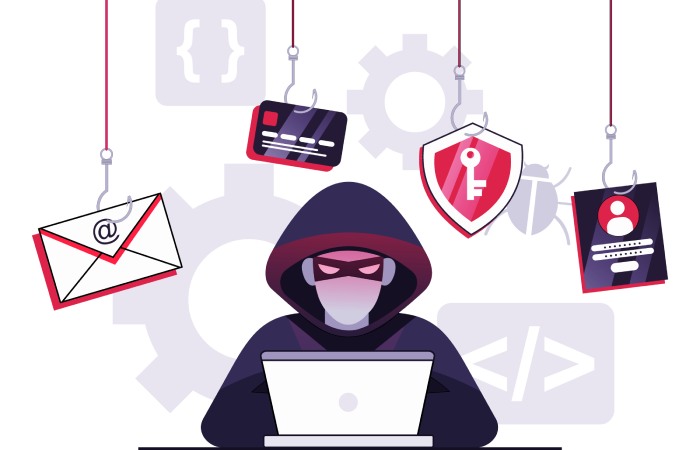
High-profile individuals and government agencies are also attractive due to the potential for damaging leaks or widespread disruption—a tactic used in recent high-impact cyberattacks.
Key Warning Signs: How to Spot a Spear Phishing Attack
Detecting spear phishing is a vital component of modern cyberattack prevention. While these messages are designed to evade spam blockers and email filters, several warning signs can help individuals and organizations stop spear phishing before it starts.
1. Urgent or Unusual Requests
Spear phishing emails often urge the recipient to act swiftly—transferring funds, updating credentials, or disclosing sensitive information under the guise of an emergency.
2. Suspicious Links and Attachments
Spoofed emails may include links or attachments claiming to be from legitimate entities but actually leading to credential harvesting websites or malware downloads. Browser extensions and anti-phishing software can assist with scam detection.
3. Generic Greetings or Odd Language
While spear phishing usually employs personalization, occasionally, cyber criminals use generic greetings or awkward phrasing that differs from regular company communication.
4. Inconsistent Sender Information
Check for inconsistencies in sender addresses versus display names. Email sender verification tools and automatic account protection settings on platforms like Office 365 help detect spear phishing attempts.
5. Requests for Sensitive or Personal Information
Any request for confidential data—especially when unsolicited—should be treated with suspicion. Well-trained employees are less likely to fulfill such requests without additional verification.
Regular security awareness training, phishing simulators, and employee education are crucial for building internal scam detection capabilities. IT professionals should leverage anti-phishing software, machine learning algorithms, and Managed Detection and Response services to bolster business protection.

Real-Life Examples: Learning from Notable Spear Phishing Incidents
Understanding real-world incidents can provide valuable lessons for organizations striving to prevent spear phishing and strengthen email security.
BitLyft’s Security Compromise (Case Study)
BitLyft, a leader in Managed Detection and Response, faced a sophisticated spear phishing attack targeting its administrative team. Cyber criminals, leveraging impersonation techniques, sent phishing emails that evaded standard email filters and spam blockers.
By exploiting a seemingly benign Office 365 update notice, attackers convinced an employee to click on a suspicious link, handing over login credentials and leading to a temporary compromise of internal systems. Robust employee monitoring, rapid threat response, and a combination of security tokens and 2FA eventually stopped the attack before a data breach. Implementing employee monitoring software can further strengthen defenses by helping organizations detect unusual user behavior and respond to threats more quickly.
Proofpoint’s Executive Whaling Attempts
Proofpoint reported a surge in spear phishing attacks aimed at C-level executives. These targeted attacks used detailed impersonation and urgent wire transfer requests. Proofpoint advises implementing 2FA, regular security updates, and endpoint protection, and emphasizes that continuous employee education and phishing simulations significantly enhance scam detection rates.
Widespread Government Agency Attacks
Multiple government agencies have fallen victim to spear phishing, notably through spoofed emails impersonating public figures or financial institution officials. These incidents underscore the importance of security patches, update protocols, and real-time threat detection to prevent spear phishing from leading to nation-state cyber threats or widespread service disruptions.
Office 365-Based Attacks
Microsoft’s Office 365 platform is frequently exploited by attackers who impersonate IT professionals, seeking to compromise accounts through fake security updates. In many cases, targeted attacks bypassed traditional email security measures, but organizations with browser extensions for scam detection, strong password security standards, and routine security awareness campaigns experienced far lower incident rates.
By studying these incidents, organizations can recognize the critical need for layered security measures, ongoing training programs, and advanced technologies to detect spear phishing and prevent devastating cyber risks. Security leaders such as Emily Miller advocate for a holistic approach combining technical defenses, human vigilance, and robust organizational procedures as the most effective way to stop spear phishing before it starts.
Psychological Tactics Used by Attackers
Social Engineering Strategies in Spear Phishing
Spear phishing leverages the nuanced art of social engineering to manipulate victims. Cyber criminals carefully research their targets—often executives, IT professionals, or high-profile users—via social media platforms, professional networking sites, and publicly available information. These attackers craft convincing phishing emails that mimic internal communication, sometimes even referencing recent company events or using spoofed email addresses to appear legitimate.
By impersonating trusted colleagues or reputable institutions like financial institutions, they increase the likelihood of the recipient opening malicious emails or clicking on suspicious links.
Personalization and Urgency
A hallmark of a targeted attack is its personalization. Unlike generic phishing attacks, spear phishing often addresses victims by name, references specific job roles, recent projects, or includes a generic greeting that blends into organizational culture. Additionally, phishing attacks frequently include urgent requests—such as immediate password resets or fund transfers—to induce panic and bypass critical thinking. This emotional response is a core part of social engineering, manipulating users into revealing sensitive information or login credentials without proper email sender verification.
Executive and Employee Targeting
Spear phishing doesn’t only target top executives and celebrities; it can focus on any employee with access to sensitive information or account privileges. This executive targeting is particularly dangerous since executives might have access to the most valuable data or could unwittingly authorize fraudulent transactions. Attackers bank on a lack of security awareness or overreliance on outdated email security protocols to breach defenses.
Proactive Prevention: Educating and Training Employees
Employee Education as a First Line of Defense
Exceptional employee education and ongoing security awareness are fundamental to preventing spear phishing. Training programs should go beyond highlighting basic phishing signs. Employees must regularly participate in phishing simulation exercises using up-to-date phishing simulators from reputable cybersecurity providers such as BitLyft and Proofpoint. These simulations demonstrate real-world spear phishing tactics, allowing staff to practice scam detection and improve their ability to detect spear phishing in a low-risk environment.
Developing Ongoing Security Awareness
Frequent security awareness campaigns are vital for reinforcing best practices. Training programs must instruct employees on how to identify phishing emails, recognize suspicious links, and handle urgent requests or unexpected attachment security prompts. Teaching staff to question emails that request personal information or financial transfers is a proven method to stop spear phishing.
Executive and Role-Based Training
Specialized training sessions should target employees with elevated access, including IT professionals and executives. Attackers actively pursue these roles for executive targeting due to their access to sensitive information and critical business systems. Customized phishing simulation scenarios can help these individuals hone their threat detection skills, supporting overall business protection efforts.
Essential Tools and Technologies for Early Detection
Automated Email Security and Filtering Solutions
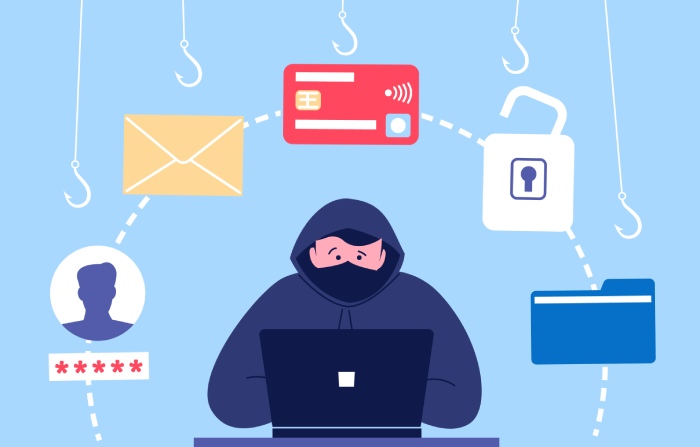
Modern email security depends on a layered security system that includes robust email filters, spam blockers, and phishing protection software. Providers like Microsoft and their Office 365 suite offer enterprise-grade email filters that leverage machine learning algorithms to identify and quarantine phishing emails before they reach end users. Spam blockers, when regularly updated, can halt broad-based phishing campaigns and assist in identifying targeted spear phishing attacks.
Integration of Anti-Phishing Browser Extensions
Employees using online platforms can greatly benefit from browser extensions that offer scam detection by flagging suspicious links and alerting the user before a phishing site loads. Browser extensions, such as those from BitLyft or third-party vendors, play a key role in stopping spear phishing attempts initiated outside of email—such as through social media platforms.
Enhanced Account Protection Mechanisms
Critical security measures—including the deployment of two-factor authentication (2FA), security tokens, and regular update protocols—form the backbone of account protection strategies. 2FA adds an extra layer of defense beyond passwords, preventing cyber criminals from accessing compromised accounts with stolen login credentials. Security tokens and regular security updates (including security patches) further reduce the risk of a successful data breach resulting from a phishing attack.
Threat Monitoring and Detection Technologies
Solutions like Managed Detection and Response harness advanced threat detection techniques to monitor accounts continuously for unusual activity, including signs of impersonation or phishing indicators. IT professionals can configure alerts to detect spear phishing attempts, monitor for compromised accounts, and rapidly execute incident response procedures.
Incident Response: What to Do If You Suspect an Attack
Immediate Steps Following a Suspected Phishing Attack
If an employee suspects a spear phishing attempt, immediate reporting is crucial for risk reduction. Protocols should specify that users report phishing to IT professionals or dedicated response teams promptly. Security systems should allow for quick isolation and examination of malicious emails, minimizing the risk of a widespread cyberattack or data breach.
Containment and Investigation
When a phishing attack is detected, the organization must isolate compromised accounts and change potentially exposed login credentials. Attachment security measures should quarantine inbound files for analysis. This containment phase is critical to prevent further compromise of personal information or sensitive information.
Conducting Forensic Analysis
A comprehensive forensic analysis, sometimes in collaboration with cybersecurity vendors like BitLyft or Proofpoint, helps reveal the attack’s source, methods, and potential impact. This insight not only resolves the current incident but also strengthens the organization’s defenses against future spear phishing attacks.
Communication and Recovery
Once immediate threats have been neutralized, transparent communication with stakeholders—especially in cases involving executive targeting or sensitive information—is recommended. Recovery efforts may include re-strengthening email security, reviewing password security policies, and updating employee education materials to reflect the latest cyber threats and threat response best practices.
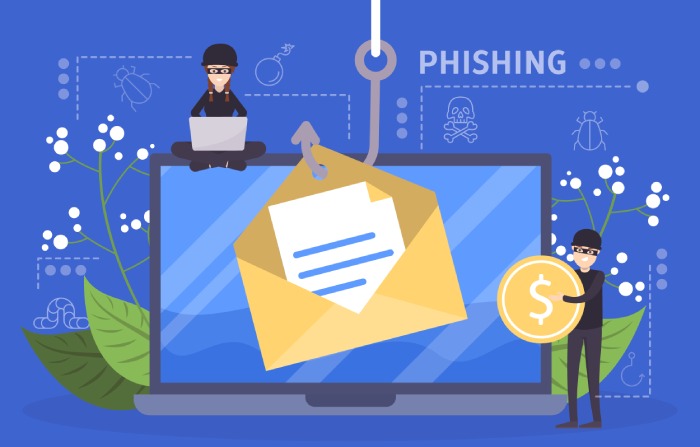
Creating a Long-Term Anti-Phishing Strategy
Building a Culture of Vigilance
To consistently prevent spear phishing, organizations must foster a culture of ongoing security awareness. Regular employee monitoring, frequent phishing simulations, and continued investment in employee education ensure staff remain alert to evolving phishing attack vectors.
Continuous Improvement with Security Updates and Protocols
Regularly updating anti-phishing software, applying security patches, and refining update protocols are necessary to address emerging cyber threats. Employing machine learning algorithms in security tools improves threat detection as new spear phishing tactics surface. Periodic audits support the adjustment of security systems for maximum effectiveness in scam detection and business protection.
Policy and Technology Integration
Integrating cybersecurity policies—such as mandatory two-factor authentication, strong password security, and routine phishing signs education—with advanced technologies is critical for organizational resilience. Policies must also encourage employees to report phishing promptly, enabling IT teams to deploy rapid threat response and minimize impact.
Executive Support and Accountability
Long-term resilience hinges on visible executive support and accountability. When leaders—including executives, public figures, or even celebrities in high-profile organizations—actively participate in training programs and advocate for email security best practices, the culture of vigilance strengthens across all functions.
FAQs
What is the difference between spear phishing and regular phishing?
Spear phishing is a more targeted attack, where cyber criminals customize phishing emails to specific individuals or roles, using personal information to increase success rates. Regular phishing typically involves mass, generic messages sent indiscriminately.
How can employees detect spear phishing emails?
Employees can detect spear phishing by scrutinizing the sender, assessing for generic greetings or urgent requests, and checking for suspicious links or attachment security warnings. Training programs and security awareness campaigns greatly enhance detection skills.
What tools help prevent spear phishing?
Email filters, spam blockers, anti-phishing software, security tokens, and browser extensions are essential defenses. Additionally, two-factor authentication (2FA) and regular security updates strengthen account protection.
Why is ongoing employee education necessary for email security?
Cyber threats constantly evolve, and spear phishing techniques frequently change. Ongoing employee education ensures staff remain alert to new phishing signs and improves their ability to report phishing promptly.
What should be done if a phishing attack is suspected?
The incident should be reported immediately to IT professionals or security teams. Compromised accounts must be isolated, passwords changed, and forensic analysis conducted to assess any data breach or identity theft risk.
Key Takeaways
- Organizations must combine employee education, robust tools, and security awareness training to effectively stop spear phishing.
- Advanced email security measures, including email filters, anti-phishing software, and two-factor authentication, are essential to prevent spear phishing and protect sensitive information.
- Regular phishing simulations and ongoing training programs empower staff to detect spear phishing attempts and respond appropriately.
- Swift incident response, including isolation of compromised accounts and forensic investigation, can contain damage from successful phishing attacks.
- Long-term anti-phishing strategies require policy commitment, continuous improvement of security measures, and active executive involvement for comprehensive risk reduction.